Dynamic QR vs Static QR: What Actually Changes for the Merchant?
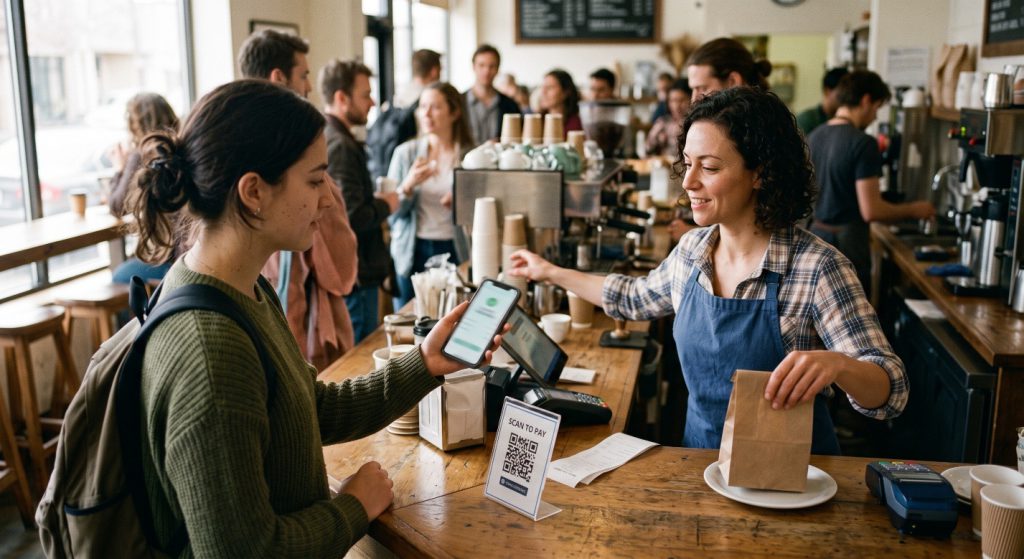
One missing zero. That is all it takes. A customer wants to pay 5,000 Kyats, but only 500 Kyats arrives in your account.
The customer did not mean to do it. They were in a hurry. The line behind them was long, and they typed the amount with one hand. Now you have to stop, explain the problem, and ask for the rest of the money while other customers wait.
Can this happen at your shop? It depends on one choice: static QR or dynamic QR. Both let customers scan and pay, and both put money into your account. But they work in different ways, and the big difference is simple: who enters the amount?
Let’s look at what really changes for you.
1. Who Enters the Amount
First, the basics.
A static QR code is one code for all your sales. You print it once and put it on your counter, on a stand, or on the wall. The customer scans it, types the amount in their mobile wallet app, and pays. The code never changes, so the same printout works every day.
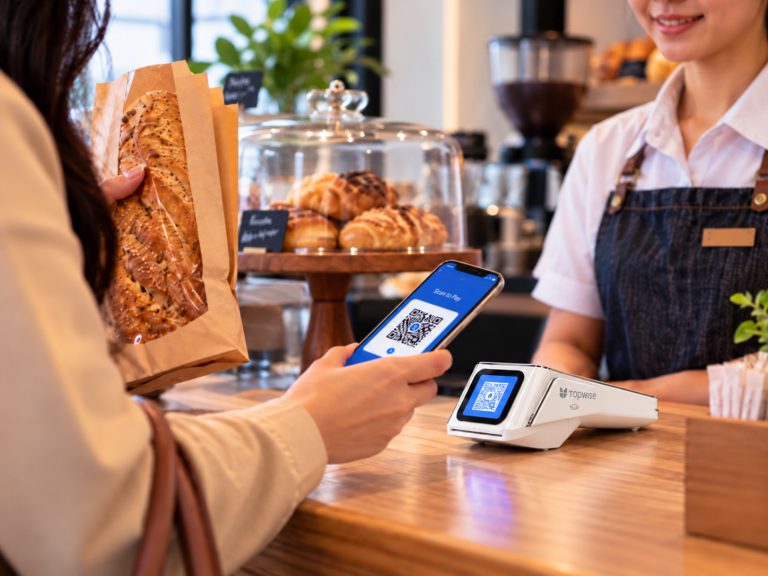
A dynamic QR code is new for every sale. Your cashier adds the items on a POS terminal. The system works out the total and shows a new QR code on the screen with the amount already in it. The customer scans it, checks the amount, and confirms. There is no amount to type.
Supermarkets, self-checkout machines, and kiosks in shopping centers often use dynamic QR, because the machine already knows the total.
In both cases, the customer scans and confirms. Only one thing is different: who sets the amount. And that small difference affects how accurate your payments are, how much setup you need, and which kind of shop each one suits.
2. When the Amount Is Wrong
Now, back to that missing zero.
With static QR, the customer must type the right amount. Most of the time, this works fine. But when people are in a hurry, small mistakes happen: a missing zero, a decimal point in the wrong place, or the price of a different item.
Every mistake means extra work for you. You explain the problem, then ask for the missing money or send some back. At a quiet shop, this takes a minute. At a busy counter, the whole line waits.
But first, you have to notice the mistake, and on a busy day you cannot check your phone after every sale. This is where a Text-to-Speech (TTS) speaker helps. It reads out each payment as soon as it reaches your account, for example: “5,000 Kyats received.” If you expected 5,000 Kyats and hear 500, you know at once, while the customer is still at the counter. The speaker cannot stop the mistake, but it helps you catch it in seconds instead of at the end of the day.
Dynamic QR goes one step further. It stops the mistake before it happens. The amount comes from your POS system, so the customer cannot type a wrong number. Your bill still needs to be correct, but what the customer pays will always match it.
So dynamic QR is better for accuracy. Does that mean it is always the best choice? Not really.
3. Getting Started as a New Merchant
Here, static QR is the winner.
Static QR is very easy to get started with. Once your bank or payment provider gives you a QR code, simply print it and display it where customers can see it. Customers can scan the same QR code to make payments without requiring the merchant to generate a new code for every sale.
Dynamic QR offers more flexibility in the payment process. Merchants can generate a unique QR code for each transaction using a mobile wallet, a smartphone app, a POS terminal, or an integrated payment system. The setup depends on the payment provider and the solution the merchant chooses.
For merchants who want a simple payment setup with minimal configuration, static QR is often the easier option. However, dynamic QR can also be convenient, especially when integrated into an existing payment workflow. It can simplify checkout by linking the QR code to the transaction amount, reducing the need for customers to enter the amount manually.
4. Which One Is Right for Your Business
So which one should you choose? It depends on how you sell.
Static QR is a good choice for businesses that prefer a simple payment setup and do not need to generate a new QR code for each transaction. It can suit businesses of different sizes, depending on their payment requirements and workflows.
Dynamic QR is a good choice if you already have a cashier and a POS system. Restaurants and busy shops gain the most, because every fix takes time when the line is long. It is also better when your daily records must be exact, because each payment is linked to a bill in your POS, which makes end-of-day checks easier. And for self-checkout machines and kiosks, where no staff member is there to check the amount, dynamic QR is the clear choice.
The Right Choice for Your Shop
For your customers, a QR code is just a QR code. They scan, they pay, and they leave. The real difference is on your side of the counter.
So before you choose, ask yourself one simple question: who should enter the amount at your counter?
If your shop is small and your counter is quiet, let the customer enter it with static QR, and let a TTS speaker check each payment for you. If your counter is busy, or every sale must match your records, let your POS system enter it with dynamic QR. You can also start with static QR today and move to dynamic QR as your business grows.
Either way, the goal is the same: the right amount, every time. No missing zeros.
About the Author